
连连看 · 休闲益智
2-minute Sichuan Time Attack: combos and score tips
作者: Playship Studios 更新于
由《Play Sichuan》开发商发布的官方玩法指南。
Play Sichuan's Time Attack gives you a 120-second limit to match tiles and chase a score. The basic Sichuan rule still applies: identical tiles need a clear connection path.
Start by matching accurately, then look ahead to keep a combo going as you become more comfortable. Clearing the whole board ends the round even if you still have time left.
Start from Time Attack on the home screen
Select Time Attack from the home screen. If you see a map and difficulty selection, start with Basic Map and Easy to practice connections. Select Get started! when you have made your choice.
Special Map adds extra mechanics to the basic connection rules. Try it after you feel comfortable finding empty paths on a basic board. Use the same map and difficulty when comparing your own results.
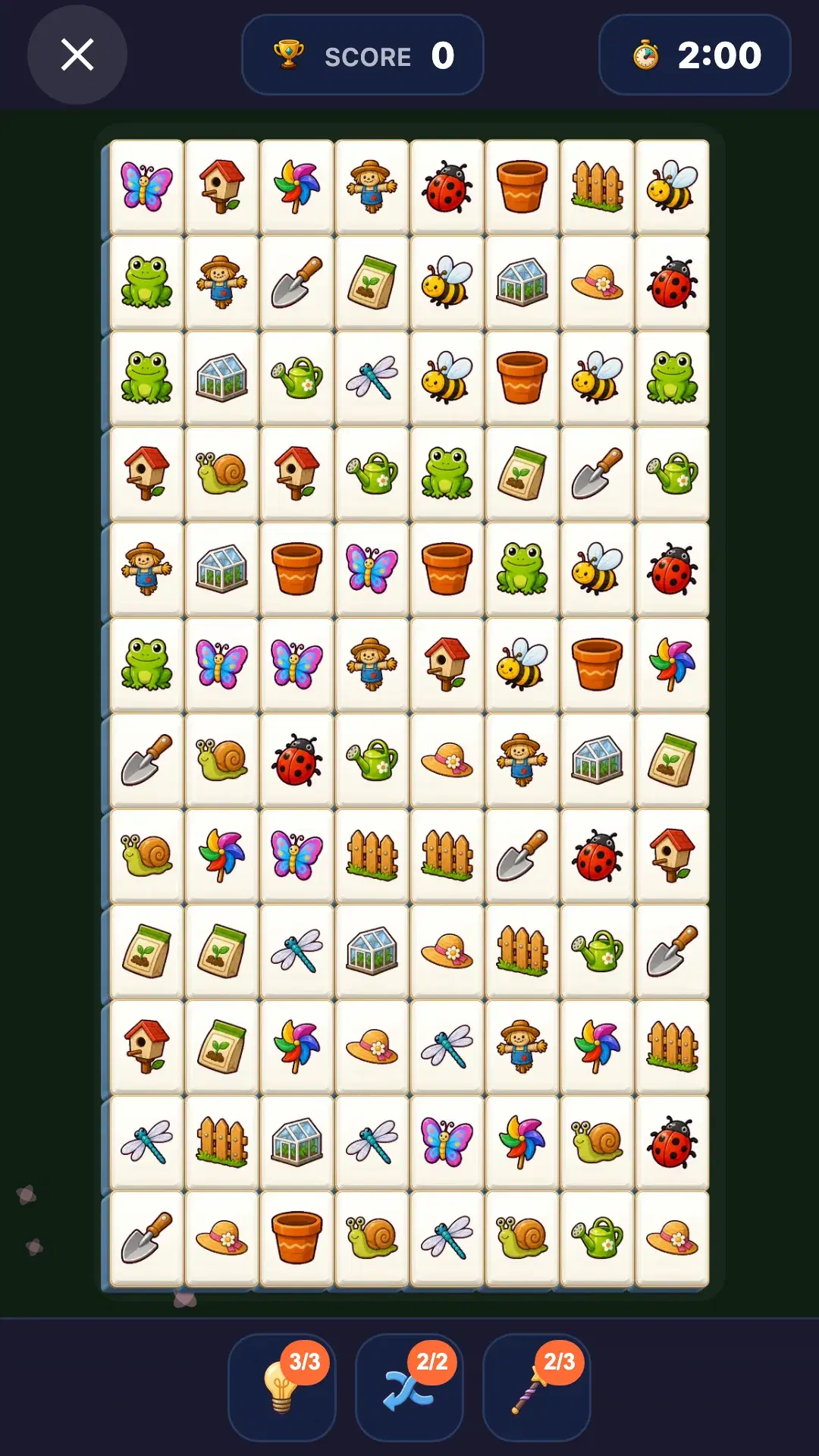
Look ahead to keep your combo moving
Quick consecutive matches build a combo and earn bonus points. As you tap one pair, look for the next valid pair. Adjacent matching pictures and routes through freshly cleared spaces are useful places to practice looking ahead.
A combo ends if too much time passes between matches. Check that a path works before rushing to tap. If you keep trying a blocked pair, shift your attention to the edges and the spaces you just opened.
- Begin with adjacent pairs or clear straight-line connections.
- Look for the next pair while selecting the current one.
- After a match, inspect new routes and the edge of the board.
- If you cannot see a connection, check your time and available items.
Choose the right item when the clock is running
Hint shows a currently valid connection. Shuffle rearranges the remaining tiles, so forget their old positions and scan for new pairs. Magic wand removes a tile you select along with another tile that has the same picture.
Items have inventory and per-game limits, so check whether a button is available. Study the route highlighted by Hint to practice the connection rules, and use help when you need it.
Check your score and maximum combo after the round
The result screen appears when you clear the board or the timer ends. Review your score and maximum combo, then compare with your previous result on the same map and difficulty. If the score did not improve, think about which pictures or blocked paths took the longest to find and practice those in your next round.
Selecting Forfeit during a game does not save the current record. Finish the round before checking your result when you are attempting a personal best.
常见问题
Does a Time Attack round always take exactly two minutes?
The time limit is 120 seconds. Clearing the board earlier ends the round, so a game can take less than two minutes.
Should I begin with Basic Map or Special Map?
Start with Basic Map to practice matching pictures and finding clear paths. Special Map adds extra mechanics, so try it once you are comfortable with the basic connection rules.
Why does my combo end?
Combos depend on quick consecutive matches. A long gap before the next match can end the combo. Try finding the next valid pair while removing your current pair.
Is my score saved if I forfeit?
No. The Forfeit confirmation explains that current progress will not be saved. Clear the board or let the timer end, then check the result screen.